
You’ve probably been there: a launch date moves forward, the team needs updated leaflets, and suddenly your print deadline is the thing that can derail the whole plan. If your brand shows up in the real world, on counters, in windows, at events, you can’t afford colour shifts, late deliveries, or boxes of wasted stock. In this guide, we explain how digital printing services work, what they’re best for in 2026, and how you can order with confidence. We’ll also share the practical checks we use to help you get the right result the first time.
Key Takeaways
- Digital printing services offer fast, flexible solutions ideal for short runs and frequent updates, making them perfect for businesses needing quick turnaround and brand consistency.
- Proofing and file preparation are crucial to avoid costly errors and reprints; always ensure files are print-ready with correct resolution, colour profiles, and bleed.
- Digital printing supports sustainability by enabling on-demand printing, reducing waste from over-ordering and outdated stock.
- A clear specification including product size, quantities, finishes, and delivery details is essential for accurate quotes and timely project completion.
- Digital printing is especially suited for varied products from business stationery and flyers to signage, providing consistent colour and finish across multiple brand touchpoints.
- When tight deadlines and multiple delivery sites are involved, proper planning for finishing, packing, and installation ensures print arrives on time and in optimal condition.
What Digital Printing Services Are (And How The Process Works)
You only need one confusing print job, where the proof looks fine but the finished stack doesn’t, to realise “printing” is not one simple thing. Digital printing services solve a specific business problem: you need reliable print from a file, quickly, without the set-up overhead that makes small runs painful.
At its core, digital printing takes a press-ready file (usually a PDF) and prints it directly to your chosen material without metal plates. The press uses either toner (common for high-quality small format work like stationery and brochures) or inkjet (often used for wide-format posters, banners, vinyl, and display graphics). That lack of plates is why digital excels at short runs, frequent updates, and fast turnarounds.
Here’s what the process typically looks like in the real world:
1) Your artwork gets checked (pre-flight)
A print team checks concrete items that affect cost and quality: final size, page count, bleed (often 3 mm), safe margins, image resolution (typically 300 dpi at final size for close-viewed items), and embedded fonts. If you send a business card at 150 dpi, you’ll see softness in small text and logos, especially on uncoated stock.
2) The file is processed for the press (RIP)
The RIP (Raster Image Processor) translates your PDF into instructions the press can reproduce. This is where colour profiles matter. If your artwork is left in RGB, the RIP will convert it to CMYK, which can shift bright greens and blues. A good supplier flags this before it becomes 5,000 “nearly right” flyers.
3) The job is printed, then finished
Printing is only half the job. Finishing is where deadlines often get won or lost:
- Cutting and trimming to final size (for leaflets, cards, posters)
- Creasing to stop cracking on heavier stocks (common on 350 gsm folded pieces)
- Folding (DL, tri-fold, gatefold) for menus and mailers
- Binding (stapled, perfect bound, wiro) for booklets and manuals
- Lamination (matt, gloss, soft-touch) for durability and feel
If you’re buying print to support a brand campaign, finishing choices matter. A soft-touch laminate on a premium brochure changes how it feels in someone’s hands, and that changes how long they keep it.
4) Quality checks and packing
A sensible check is physical: colour consistency across sheets, alignment, trimming accuracy, and whether the finishing has introduced issues (like cracking on folds or scuffing on dark solids). Packing also matters. If you need 20 boxes split for five sites, the label plan is as important as the print.
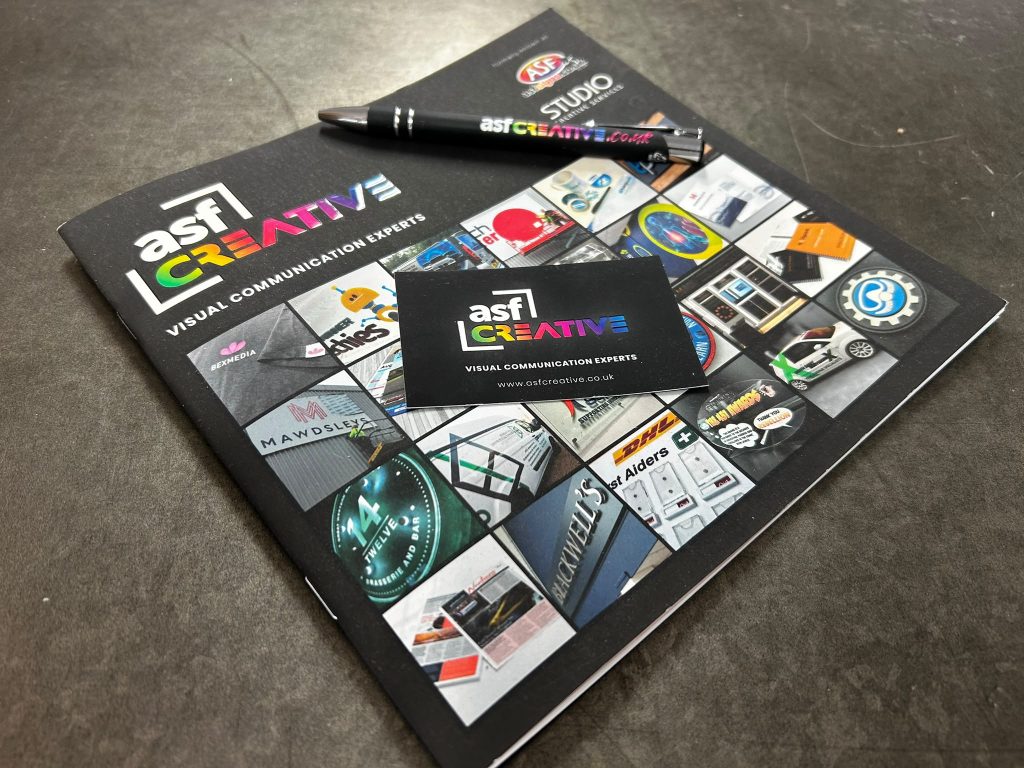
If you want a feel for the variety of print outcomes possible, ASF Creative’s print project portfolio gives a practical snapshot of formats and finishes in use: print project examples and formats.
What You Can Print: From Booklets And Business Stationery To Outdoor Signage And Event Graphics
If your brand appears on more than one surface, paper, windows, walls, vehicles, pop-ups, you’ve likely felt the pain of ordering from three different suppliers and still not getting a consistent result. Digital printing services help because they cover a broad mix of products, and you can often keep colour and layout decisions joined up.
Here’s what businesses most commonly print, with examples of when each item makes commercial sense.
Booklets, brochures, manuals, and reports
You use booklets when you need structured information that someone will reference later: product guides, service brochures, training handbooks, or event programmes. Digital works well for:
- Short runs (e.g., 50–300 copies for a sales team)
- Frequent updates (new prices, new case studies, updated compliance wording)
- Versioning (one booklet per region, sector, or product line)
A practical decision point is binding. Saddle-stitched booklets are cost-effective and fast, but page counts are limited. Once you’re producing thicker documents, you’re often looking at perfect binding or wiro binding for usability.
Business stationery and sales essentials
Stationery still does a job in 2026, especially where trust and professionalism matter. Common items include business cards, letterheads, compliment slips, presentation folders, and NCR pads. Digital is ideal if you want:
- Multiple names/roles printed for your team without a huge minimum order
- Quick replacement when people join, roles change, or you run out
- Matched sets (cards, letterheads, and folders aligned to the same colour intent)
If your cards have heavy coverage (big dark backgrounds), you’ll want to talk about scuff resistance and lamination. A matt laminate can reduce finger marks: a soft-touch laminate can add perceived value, but it may also show scratches if handled roughly in a pocket.
Flyers, leaflets, postcards, and direct mail inserts
These are your fast, measurable tools: handouts, door drops, in-bag inserts, and event follow-ups. Digital shines when you’re testing a message. You can print 250 copies of Version A and 250 of Version B, track responses, then scale the winner rather than guessing upfront.
Posters, large-format graphics, and point-of-sale
Large-format digital printing covers in-store posters, window graphics, floor stickers, and display boards. The key variables are not just size, but viewing distance and environment. A poster seen from 3 metres away can use lower resolution than a counter card read from 30 cm. For outdoor use, you’ll also consider UV resistance, waterproof media, and whether edges need hemming or eyelets.
Outdoor signage and event graphics
When you’re trying to get noticed in a noisy environment, retail parks, trade shows, sports venues, signage is often the difference between being found and being ignored. Digital print is used for:
- PVC banners with eyelets for short campaigns
- Rigid boards for temporary wayfinding
- Pop-up and pull-up systems for events
- Vinyl graphics for windows and walls
If you’re planning signage as part of a larger visibility upgrade, it helps to see the range of real-world applications: signage project examples for business premises and events.
Why Businesses Choose Digital: Speed, Flexibility, And Brand Consistency
When you’re juggling launches, premises updates, or an event calendar, the risk is simple: your marketing looks inconsistent, or it arrives too late to matter. Businesses choose digital printing services because they reduce those risks in three very practical ways.
Speed that matches real deadlines
Digital removes plate-making and much of the traditional make-ready time. That’s why it often fits urgent needs like:
- An event pull-up that gets approved on Tuesday and needs to be used on Thursday
- Updated safety or directional signage after a layout change in your building
- A last-minute batch of brochures for a sales meeting
Speed also comes from simpler reorders. If your print supplier keeps your specs and previous files organised, you can reorder a known quantity and finish without restarting the conversation.
Flexibility for short runs and frequent changes
Digital lets you print what you need, not what you were forced to order because of minimums. That supports sensible business behaviour:
- Test before you scale: print 200 leaflets for a new offer, track calls or QR scans, then decide.
- Update without waste: change one panel of an event graphic when your sponsor list updates.
- Run multiple versions: different menus for different locations, or sector-specific brochures.
If you manage several sites, versioning becomes a serious cost-saver. You avoid printing a generic piece that doesn’t quite fit any location, which often gets binned or ignored.
Brand consistency across touchpoints
Consistency is not just a “design preference”: it’s about recognition. If your logo blue looks different on your business cards, your brochures, and your window vinyl, people notice, even if they can’t explain why it feels off.
Digital print consistency comes from process, not luck:
- Defined colour profiles and calibration routines
- Controlled stocks and finishing choices (paper changes can shift colour appearance)
- Proofing workflows that catch mistakes early
And if you’re trying to keep a joined-up look across print, signage, and vehicle graphics, you’ll want a supplier that can coordinate those items rather than treating them as separate jobs. For example, if you’re building mobile brand visibility, you can compare approaches by looking at vehicle graphics project work and applications.
Sustainability And Waste Reduction: On-Demand Printing, Smarter Stock, And Greener Options
It’s easy to talk about sustainability in vague terms: it’s harder when you’re staring at three boxes of outdated leaflets because pricing changed. Waste in print is usually caused by one of three things: ordering too much, ordering too early, or reprinting due to errors. Digital printing services can reduce all three if you set jobs up correctly.
On-demand printing that matches real usage
On-demand sounds simple, but the impact is concrete. Instead of printing 10,000 brochures “to get the unit cost down”, you print 500, use them, learn what customers actually ask, then update the next batch. You cut:
- Storage space (and the cost of storing dead stock)
- Disposal of outdated materials
- The temptation to keep distributing old messaging because “we’ve got loads left”
For multi-site businesses, on-demand also helps you avoid sending the wrong stock to the wrong place. You can print location-specific quantities and ship them directly.
Smarter stock choices (paper and materials)
Sustainability is also about specifying the right material for the job. If a poster is used for a one-week promotion indoors, you may not need an ultra-durable substrate. But if it’s going on an outdoor barrier, you do.
Ask your supplier about:
- FSC-certified paper options for common stocks
- Recycled content papers where the look and feel fits your brand
- Right-weight decisions (e.g., 170 gsm vs 250 gsm) so you don’t over-specify
A useful real-world test is handling. If your team carries flyers in a tool bag or uses menus on tables all day, you’ll get longer life from lamination or a heavier stock, meaning fewer reprints.
Fewer reprints through better proofing and controls
The greenest print job is the one you don’t have to redo. Most reprints happen because of avoidable issues: missing bleed, incorrect page order, low-resolution logos, or a late content change.
A practical workflow that reduces waste is:
- Lock the content (names, dates, phone numbers) before artwork sign-off
- Use a soft proof for text and layout approval
- Use a printed proof when colour is brand-critical or the stock is unusual
- Print only what you need for the next cycle
If you’re also refreshing your brand identity or tightening consistency across channels, it’s worth aligning print decisions with brand basics. You can see examples of brand-led outputs through ASF Creative’s branding project work and identity applications.
How To Get An Accurate Quote: Specs, Artwork, Quantities, Finishes, And Delivery/Installation
The fastest way to lose time on a print project is to request “a quote for some flyers” and then spend a week answering follow-up questions. Quotes only become accurate when you provide the details that drive cost, scheduling, and risk. If you want digital printing services priced properly, you need to think like production for five minutes.
Here’s a practical checklist you can copy into your next email.
1) Product specs (size, pages, and format)
Give the finished size and, if relevant, the flat size. For example:
- A5 flyer (148 x 210 mm), single sheet
- DL tri-fold leaflet (flat A4, folds to DL)
- 12-page A4 booklet, saddle-stitched
If you’re unsure, say what it needs to do: “fits in a DL envelope” or “sits on a counter stand”. That helps your supplier suggest a format that works.
2) Quantities (and how they split)
Quantities drive unit costs and scheduling. Be specific:
- Total quantity (e.g., 2,000)
- Versions (e.g., 4 versions of 500)
- Split deliveries (e.g., 10 boxes to Site A, 5 to Site B)
If you manage multiple locations, include postcodes. A quote that ignores logistics can look cheap until delivery gets added later.
3) Artwork status (print-ready or design needed)
Say what you have:
- Print-ready PDF with bleed
- Source files (InDesign/Illustrator) but not packaged
- “We have text and images, not a layout yet”
This affects both price and turnaround. If your supplier needs to rebuild a low-res logo or fix fonts, that’s time.
4) Stock and finishes (where costs really change)
Stock is not a minor preference. It affects feel, colour appearance, durability, and cost. Include:
- Paper type (silk, gloss, uncoated)
- Weight (e.g., 150 gsm text, 350 gsm cover)
- Finishes (matt laminate, gloss laminate, spot UV, foiling)
- Binding type for booklets (stapled, perfect, wiro)
If you don’t know, describe the usage: “handled all day”, “posted out”, “displayed in sunlight”, “needs to wipe clean”. That gives your supplier the context to recommend the right finish without over-specifying.
5) Delivery and installation constraints
This is where signage and graphics differ from paper print. If anything needs fitting, include:
- Site address, access times, and any restrictions (e.g., shopping centre out-of-hours)
- Surface type (painted wall, glass, aluminium composite panel)
- Height or size constraints (so fixings and safe handling are planned)
A practical note: installation planning often starts before print. Photos, measurements, and approval visuals save expensive surprises on the day.
When you send these details upfront, you’ll typically get fewer revisions, a faster go-ahead, and a quote that stands up when the deadline gets tight.
Minimum Orders, Unit Costs, And When Digital Beats Litho (Or Vice Versa)
The most common budgeting mistake we see is chasing the lowest unit cost and ending up with the highest total waste. The better question is: what process produces the right quality at the quantity you actually need, delivered when you need it?
Why digital often wins on small to medium runs
Digital printing usually has low set-up costs. That means it often wins when:
- You need 25, 50, 100, or 500 items, not 10,000
- You want multiple versions (different staff names, different locations, different offers)
- You expect the content to change in weeks, not years
Unit costs can look higher on paper, but total project cost can be lower because you don’t pay for plates and you don’t over-order to “make it worthwhile”.
A concrete example: if your menu prices change quarterly, printing 5,000 menus to reduce unit cost is false economy if 3,000 become outdated.
When litho (offset) can be the smarter option
Litho printing still earns its place, especially when:
- You need very high quantities (tens of thousands)
- You want the lowest unit cost at scale
- You need specific ink behaviour, such as certain Pantone spot colours, or very particular matching across long runs
Litho has a higher initial set-up cost, but once it’s running, large runs can be very efficient.
A practical way to decide (without getting lost)
If you want a quick decision framework, use these questions:
- Will the content change soon? If yes, digital reduces waste.
- Do you need multiple versions? If yes, digital is usually simpler.
- Is colour matching extremely critical at huge scale? If yes, discuss litho.
- Is the deadline tight? Digital often helps.
In practice, many businesses use both. You might run short digital batches for testing and updates, then move to litho when the creative and messaging are stable and you’re scaling distribution.
If your supplier offers both, you can ask them to price two scenarios (digital vs litho) against the same spec. That side-by-side comparison is often the quickest route to a confident decision.
Turnaround Times Explained: Same-Day, Next-Day, And Multi-Site Delivery Planning
You can have perfect artwork and a clear spec, then lose the whole benefit if the print lands after the event. Turnaround is not just “how fast the press prints”: it’s the total time for proofing, production, finishing, packing, and delivery planning.
Same-day and next-day: what makes it realistic
Same-day or next-day digital printing is usually realistic when the job is:
- Low quantity (e.g., 50–500 flyers or a small batch of posters)
- Simple finishing (trim only, or a basic fold)
- Supplied as print-ready artwork (so there’s no design or file repair time)
The moment you add complex finishing, wiro binding, perfect binding, spot UV, foiling, contour cutting, lead times tend to extend because finishing capacity is often the bottleneck, not printing.
Proofing time is part of the schedule
If you need a proof, plan for it. A soft proof might take minutes: a printed proof can take longer, especially if colour needs to be checked under sensible lighting. A practical approach is to set a proof deadline internally: “We sign off by 3 pm today,” so the supplier can actually start production.
Multi-site delivery: plan like logistics, not print
If you’re distributing to multiple branches, turnover depends on packing and routing. You’ll want to provide:
- A delivery list with site contacts and phone numbers
- Quantity per site (not just total)
- Any site restrictions (schools, secure sites, timed loading bays)
One common failure point is labelling. If boxes are not clearly marked by site and content version, you’ll waste time re-sorting stock at your end, or worse, you’ll display the wrong promotion in the wrong place.
Installation adds a separate timeline
For signage, window graphics, and large-format displays, installation is its own schedule. You may need surveys, visuals for approval, and access windows. If you know you have a shop refit in two weeks, don’t leave fitting to the last day. Build in time for approvals and site coordination.
If you want to see how display systems can be planned as multi-part kits (useful for events and multi-site roll-outs), ASF Creative’s pull-up and pop-up display system examples show how sets are often designed to work together.
Quality Control: Proofing, Colour Matching, And File Setup That Prevents Reprints
Nothing burns budget like a reprint you didn’t plan for, especially when the real cost is not the paper, but the lost time and the awkward conversation with your team. Quality control in digital printing services is mostly about preventing avoidable errors before the press runs.
Proofing: choose the right type for the risk
Proofing is not one thing. Match it to what could go wrong.
- Soft proof (PDF): best for checking spelling, layout, page order, and content accuracy. If your phone number is wrong, a soft proof would have caught it.
- Printed proof: best for checking colour behaviour on the actual stock, especially for brand-critical items like business cards, premium brochures, or anything with dark solid backgrounds.
If colour matters, look at the proof under consistent lighting. Office strip lighting can make whites look blue and can change how you judge neutrals.
Colour matching: be clear about what “match” means
If you say “match our logo blue”, you need to provide a reference. Practical options include:
- A Pantone reference from your brand guidelines (where appropriate)
- A previous printed item you trust as the target
- A calibrated digital proof expectation (with the understanding screens vary)
Also remember that paper affects perceived colour. The same CMYK build will look different on uncoated stock versus silk, and it will look different again once you add matt lamination.
File setup: small technical choices that protect your deadline
Most production issues come back to a handful of file basics:
- Bleed: usually 3 mm to avoid white edges after trimming
- Safe area: keep critical text away from trim and folds
- Resolution: 300 dpi at final size for close-view print: large-format can vary by viewing distance
- Fonts: embed or outline: missing fonts can reflow text and break layouts
- Overprint settings: accidental overprint on white objects can make text disappear
A real example: a QR code placed too close to a fold can become unreadable once creased. The fix is simple, move it and increase quiet space, but only if someone checks before printing.
Sampling and spot checks during the run
For larger jobs, ask what checks happen mid-run. A quick spot check can catch a trimming drift or a finishing issue before it affects the full quantity. That is especially important for multi-version work where one wrong file can multiply into several wrong deliveries.
If you want a tangible example of how premium finishing changes the result (and why proofing matters more), see how texture and gloss effects are used on items like 3D spot UV business cards.
Conclusion
If you want print that supports growth rather than creating admin, digital printing services are usually the most practical route in 2026: fast to order, flexible for short runs, and easier to keep on-brand across different products. Your best results come from simple discipline, clear specs, print-ready files, realistic turnaround planning, and proofing that matches the risk. When you treat print as part of your wider visibility system (not a one-off task), you reduce waste, protect deadlines, and keep your brand looking consistent wherever customers meet it.
Digital Printing Services: Frequently Asked Questions
What are digital printing services and how do they work?
Digital printing services use digital files like PDFs to print directly onto materials without plates. They process your artwork through raster image processing (RIP) and print using toner or inkjet, enabling quick, short runs with flexible updates.
What types of print products can I get through digital printing?
Common digital print products include booklets, brochures, business stationery, flyers, postcards, large-format posters, banners, window graphics, event signage, and promotional items, all suitable for short runs and frequent updates.
Why should businesses choose digital printing services in 2026?
Businesses choose digital printing for its speed, flexibility in short runs and versioning, and brand consistency through modern colour management. It suits fast turnaround needs and helps avoid waste with on-demand printing.
How can digital printing services help reduce print waste and support sustainability?
Digital printing enables on-demand small runs, reducing overprints and storage waste. Accurate proofing and colour control prevent costly reprints. Many providers offer FSC-certified stocks and eco-friendly inks to enhance sustainability.
How do I get an accurate quote for digital printing services?
Provide clear specs including size, pages, quantities per version and delivery addresses, artwork status (print-ready PDFs preferred), stock type and weight, finishing options like laminates or binding, plus any delivery or installation details.
When is digital printing more cost-effective than litho printing?
Digital printing is usually better for small to medium quantities, multiple versions, and fast-changing content because it has low setup costs and no minimum orders. Litho printing is more economical for very large volumes and precise spot colours.